
This guide covers moving products from one Products Page to another. On version 7.1, Products Pages are called Store Pages.
Tip: Products can only move between Products Pages. To add a product to a different content area, like a Layout Page or blog post, use the Product Block.
Step 1 - Choose products
- In the Home Menu, click Pages.
- Click the Products Page containing the product(s) you're moving.
- Press and hold Shift, and click the products you're moving.
- Continue holding Shift to choose multiple products.
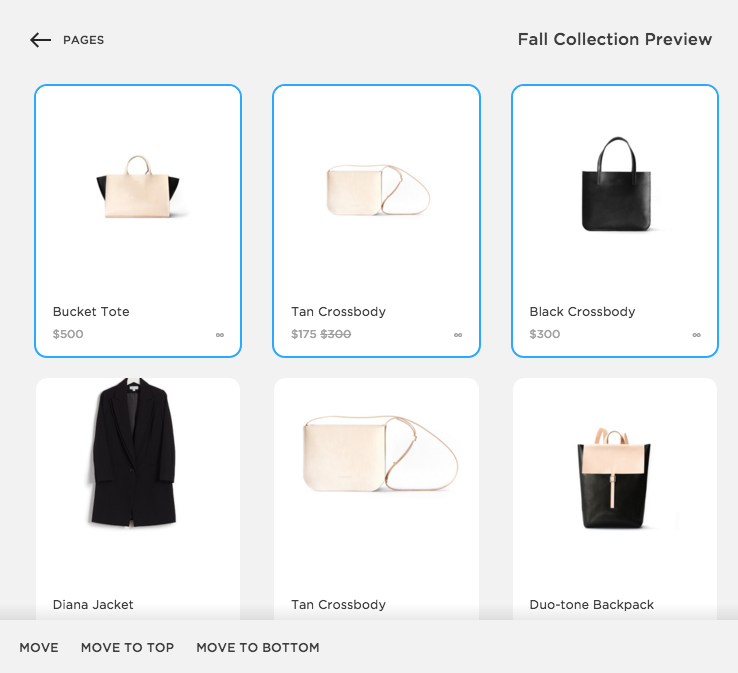
Step 2 - Move the products
Click Move in the action bar that appears below.
Note: Move won't appear if you don't have another Products Page. If you don't see Move, first add a new Products Page.
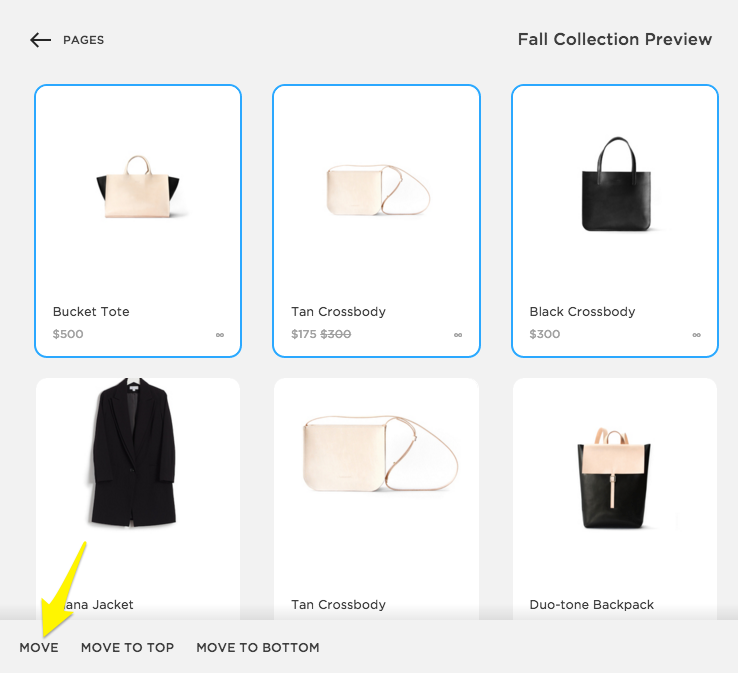
In the Select Destination Collection window, choose a destination page, and then click Move Products. The moved product(s) will appear in the new Products Page.
Comments
0 comments
Article is closed for comments.