
Gift cards are unique digital codes that recipients can use as payment in your online store.
When purchasing a gift card, customers will go directly to checkout after clicking Purchase, similar to Express Checkout. At checkout, the purchaser can choose to email the gift card code to the recipient or themselves.
This guide shows how customers purchase and redeem gift cards. For help creating a gift card, visit Selling gift cards.
Tip: To experience buying and redeeming gift cards like a customer, run a gift card test order.
Purchasing a gift card
Step 1 - Choose a gift card
After you create a gift card, customers can purchase it from your store with these steps:
- The customer can click the gift card from its Products Page, and the gift card’s item page will open.
- If you set multiple values, the customer will select a value from the drop-down menu, then click Purchase.
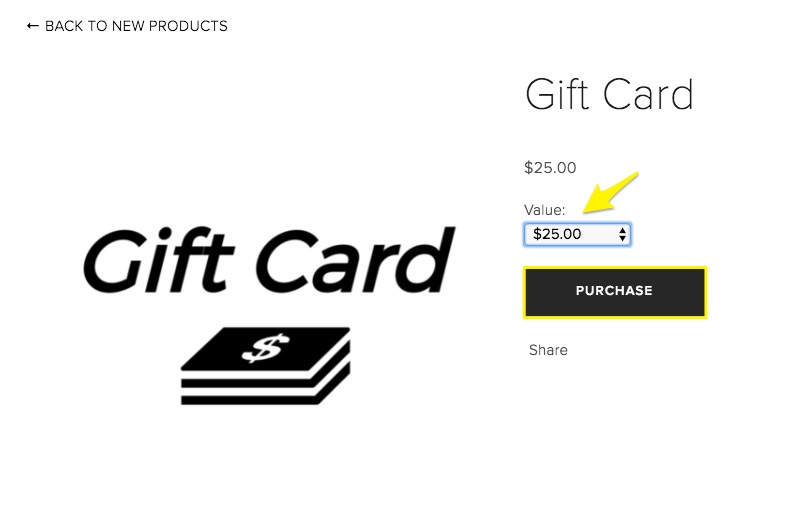
- The customer will go directly to the checkout page.
Step 2 - Choose a delivery method
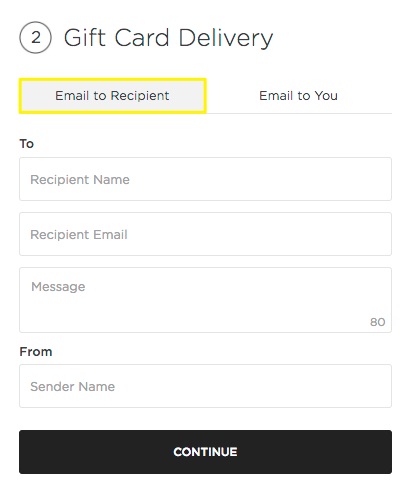
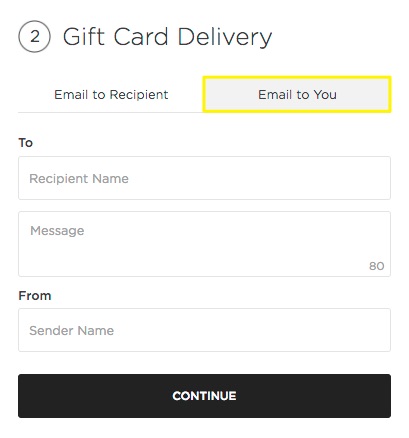
In the Gift Card Delivery box on the checkout page, the customer will choose Email to Recipient or Email to You.
Email to Recipient
If the customer wants to email the gift card to the recipient, they’ll enter this information to include in the email sent to the recipient:
- Recipient name
- Recipient email (required)
- Message (80 character limit)
- Sender name
Email to You
If the customer wants to email the gift card to themselves as a printable .pdf, they’ll enter this information to include in the .pdf:
- Recipient name
- Message (80 character limit)
- Sender name
Step 3 - Complete checkout
To complete checkout, customers will:
- Enter their email address and billing information.
- Review their information.
- Click Purchase.
After the purchase is complete, the gift card will be delivered using the chosen method.
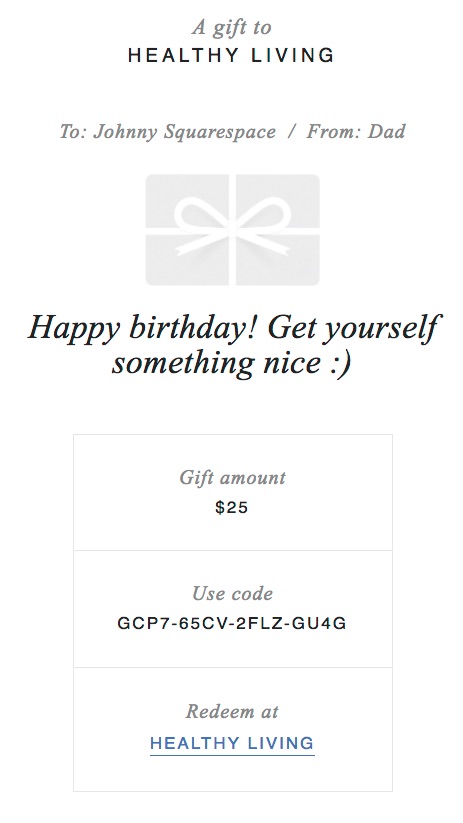
- Email to Recipient - The recipient will receive an email with the gift card message and code.
- Email to You - The purchaser will receive an email with a printable .pdf of the gift card.
Redeeming a gift card
After the recipient receives their gift card, they can redeem it by purchasing products and entering the gift card code at checkout. They can apply the gift card to any physical, digital, or service product. Customers can't use gift cards to buy subscription products.
If you subscribe to Member Areas, site visitors can use gift cards to purchase memberships to member areas with one-time membership fees. Gift cards can't be used to pay recurring membership fees.
Gift cards apply to the order total, including tax, shipping, and any transaction fees. If the order total exceeds the gift card value, they'll pay the remaining amount using your store's supported payment methods or another gift card.
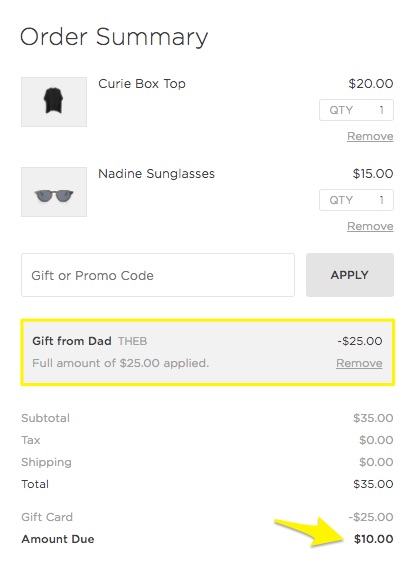
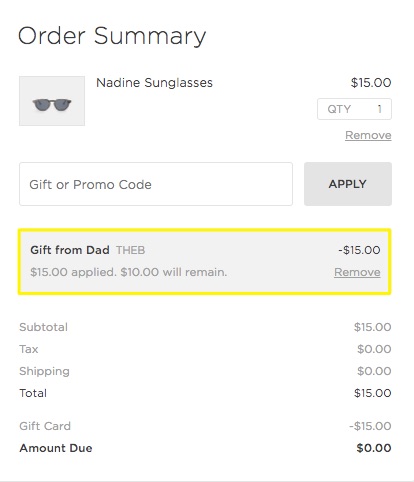
If their order total is less than the gift card value, they can complete checkout without another payment method. The amount applied and remaining value displays in the gray box and in the order receipt.
Redeem gift cards in person
You can redeem gift cards in person using the latest version of the Squarespace Commerce App.
Comments
0 comments
Please sign in to leave a comment.