
You can change your new Squarespace Domain name within five days of registration. This involves starting over: cancelling the domain you just registered and replacing it with a new domain name. After five days, your domain name is permanent and can't be renamed.
We measure this five-day grace period to the minute. For example, if you registered a domain at 8:00am on January 1, you can cancel until January 6 at 7:59am.
Before you begin
- A primary domain can't be removed. To remove your primary domain, first set a different domain as the primary domain. You can always change this later.
- There is no five-day grace period or refund for .co.uk, .de, or .uk domain purchases or transfers. To learn more, visit .co.uk. and .uk domains and .de domains
- If the domain is past the five-day grace period, you can switch to a different primary domain instead. Follow our steps for moving your site to a new domain.
Step 1 - Open the Domains panel
In the Home Menu, click Settings, then click Domains.
You can also press the ? key while any panel is open and search domains.
Click the domain you'd like to change.
Step 2 - Cancel the domain
Scroll down and click Cancel Domain.
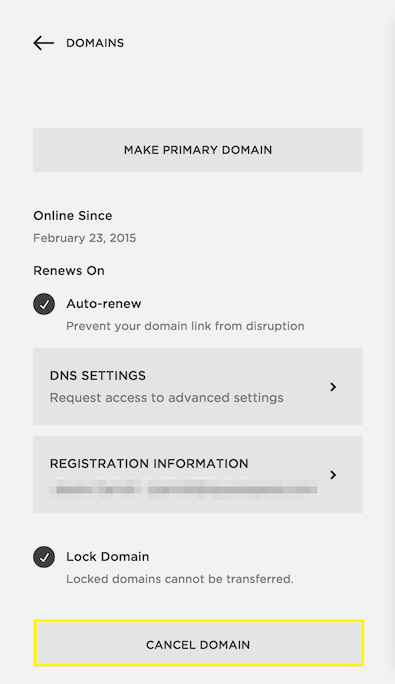
Step 3 - Register a new domain
If you cancel the domain within five days of registration, you’ll receive a refund, and the domain will no longer point to your site. A domain can’t be cancelled after this five-day grace period.
To replace the domain, register a new one.
Comments
0 comments
Article is closed for comments.