
Add a custom checkout form for customers to send gift messages with their orders. Gift messages appear in the order summary, which you can print and add to the package.
- Create a custom checkout form.
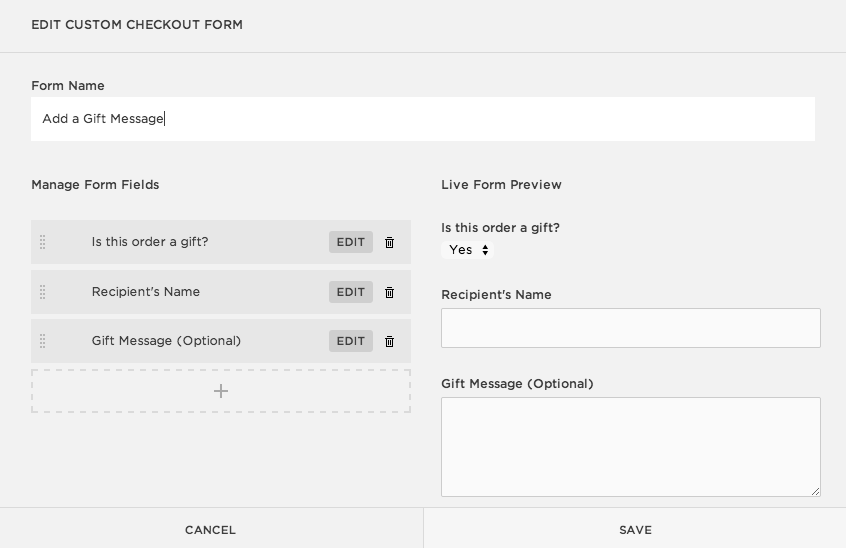
- Name the form Add a Gift Message.
- Use the Select, Text, and Text area fields when adding new form fields. Use this template as a guide:
- Click Save when you’re finished.
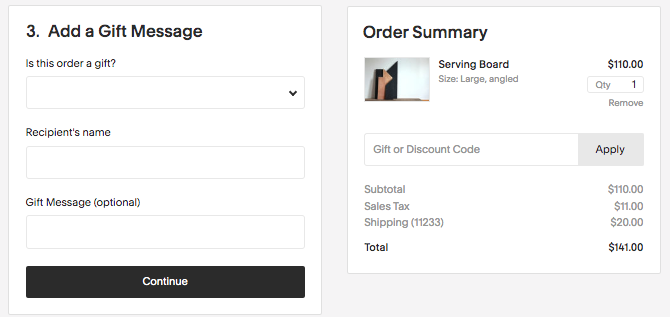
This is how the form displays at checkout:
Comments
0 comments
Please sign in to leave a comment.